iGuide

Create Xactimate Sketches with an integrated 3D Virtual Walkthrough

Accelerate claims and restoration projects with fast, accurate and detailed loss documentation.

Trusted by thousands of IRC professionals worldwide

Noblesville Fire Department
Deft
Grindley Williams Engineering
PuroClean
Compass Building Services
All Seasons Adjusting
SeekNow
Colonial Claims

Who benefits from accurate Sketch files with an integrated iGuide virtual walkthrough?

Accurate measurements, area totals, sketch files and comprehensive images benefit anyone documenting a loss.

  • Adjusters

    Capture and submit claims documentation faster to speed up processing
  • Restoration contractors

    Produce more accurate repair estimates with precise measurements and visuals
  • Policy holders

    Receive timely updates and have claims resolved faster
  • Forensics investigators

    Access comprehensive visual records for detailed analysis
  • “iGuide makes documenting fire scenes simple, fast, and more accurate than ever.”

    photo - Todd Estes
    Todd Estes / Division Chief - Planning, InvestigationsNoblesville Fire Department
  • “With iGuide, I'm getting back at least 20 hours a week. And that's being conservative. While someone else is still hand-sketching one property, I've already done four.”

    photo - Jeremy Murray
    Jeremy Murray / Independent AdjusterGale-Force Adjusters LLC

Whats included in every iGuide?

  • Enhanced speed and efficiency

    Eliminate the need for manual measurements, sketching or repetitive site visits. Document a 3,000 sq ft property in 15 minutes.
  • Industry leading accuracy

    Take 1000s of LiDAR based measurements instantly with each scan.
  • Comprehensive visual documentation

    Quickly and easily inspect and assess damages using 360-degree visuals.
  • Per-project pricing, data ownership and offline downloads

    Avoid monthly subscriptions, lengthy commitments and control your data.

Flexible Sketch detail levels for every workflow

See and compare what you get with each type of iGuide Sketch.
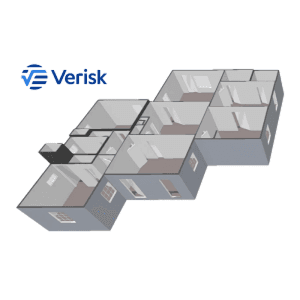
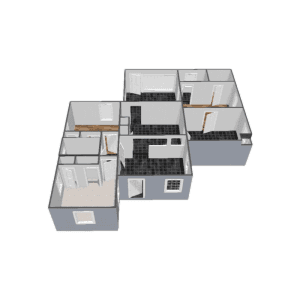
  • iGuide Instant Sketch

    iGuide Instant Sketch

    Includes:

    • Available directly in Xactimate via integration
    • Basic structure such as walls and openings
    • Delivery in minutes
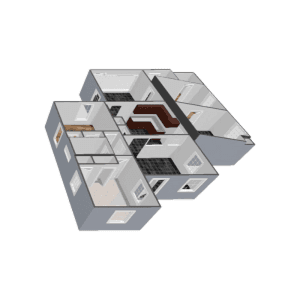
  • iGuide Standard Sketch

    iGuide Standard Sketch
    • All details found in iGuide Instant Sketch
    • ESX direct download
    • Windows, doors & door styles
    • Room names & types
    • Stairs & elevations
    • Structural columns
    • Ledges & fireplaces
    • Floor materials
    • Ceiling heights (flat/box only)
    • Delivery within 24 hours
    • Outdoor features (decks, patios, porches)
  • iGuide Premium Sketch

    iGuide Premium Sketch
    • All details found in iGuide Standard Sketch
    • Complex ceilings
    • Cabinetry

See how iGuide helps insurance and restoration teams work faster

View all IRC customer stories
  • header image - IRIS Fire Customer Story
    “Everything lived in the cloud with Matterport. There were chain-of-custody concerns, subscription fees and we couldn’t store the raw data ourselves. Our clients, especially public agencies, care about data control. I couldn’t download or store the raw data. That was a dealbreaker.”

    Robert Toth / Owner & Certified Fire InvestigatorIRIS Fire
  • header image - Gale-force Adjusters LLC Customer Story
    “The reports look sharp, the floor plans are accurate, and the 3D walkthrough helps me catch every detail, even after I’ve left the site. All the documentation I need is in one place.”
    Jeremy Murray / Independent AdjusterGale-Force Adjusters LLC
  • “10 adjusters and 9 of them don’t know how to frame a shot. If you let us take an iGuide virtual tour, then you’ll have a million still images. iGuide technology has given Deft a huge competitive advantage. Simply seeing how much value it’s brought to deft, we fell in love with it!”

    Jeremiah Kiefer / Founder & CEOThe Deft Group

Get an iGuide Sketch in 4 steps

  1. photo - iGuide Capture Professional
    Step 1

    Capture

    Capture the property with the iGuide PLANIX system in minutes, not hours.
  2. photo - Reviewing Floor Plans on Tablet
    Step 2

    Tag

    Add on-site notes with Real-Time Tags to document the loss.
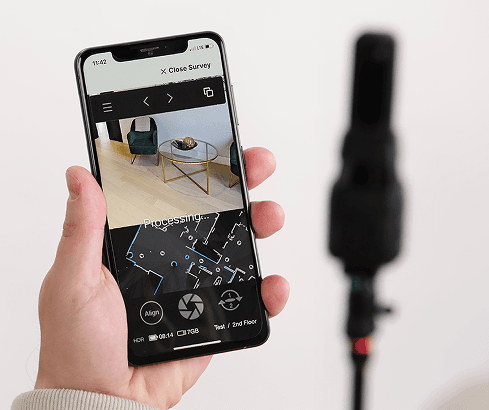
  3. photo - PLANIX App in Use
    Step 3

    Draft

    Submit the capture for processing and choose your Sketch detail level.
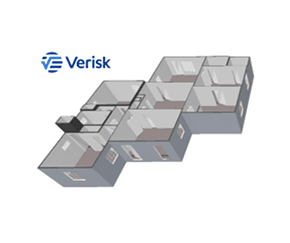
  4. image - Verisk Xactimate Sketch
    Step 4

    Deliver

    Receive your Sketch, files and walkthrough within the listed turnaround time.

Start capturing your own jobs and streamline your workflow