
Step 1
Capture accurate building conditions
Document active facilities using LiDAR and 360° imagery to create a dependable visual and spatial record in a single visit.
Document buildings once and reuse the data for assessments, planning and projects, without repeat site visits.
Facilities teams need building data they can trust long after the site visit.

It’s a snapshot in time, but for mature clients we keep it current, post-renovation documentation, new builds, and ongoing updates as part of their programs.
Capture accurate building data in one visit and reuse it across assessments, planning and projects, reducing repeat site visits and improving coordination.




Facilities teams need consistent, accurate building documentation to plan confidently, reduce repeat site visits and keep projects moving.
iGuide fits into existing facilities management workflows, capturing, sharing and maintaining building records teams rely on every day.
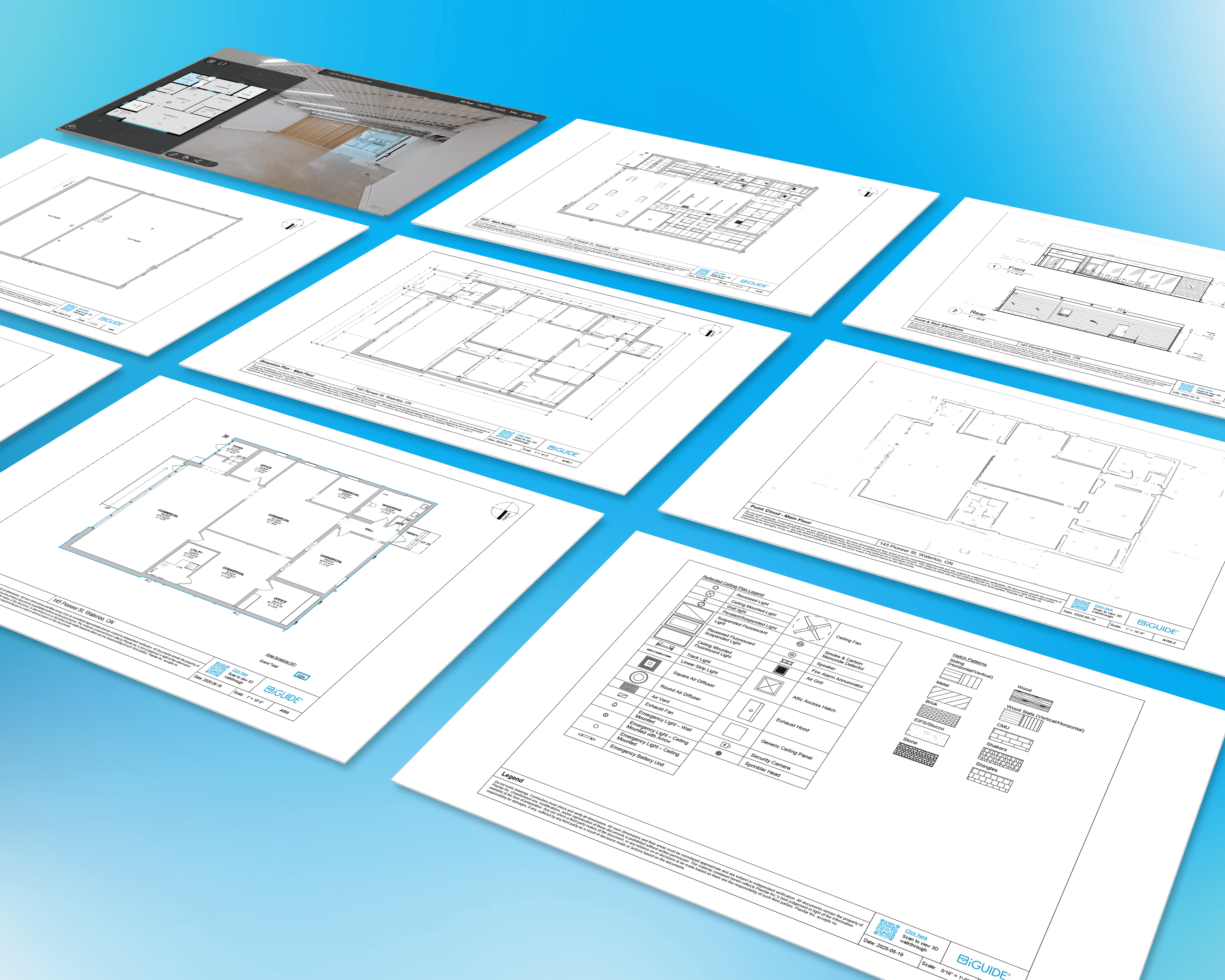

iGuide for facility management is a building documentation system that provides accurate floor plans, 3D visual documentation and measurable building data. It creates a digital record of a facility’s layout and components, helping facilities teams plan maintenance, validate conditions and manage assets more efficiently.
The benefits of using iGuide for facility management include accurate floor plans, 360° visual documentation and measurable building data in a single system. Facilities teams can reduce repeat site visits, support condition assessments, plan maintenance and track changes over time with greater confidence.
Yes, iGuide is designed to be easy to use for facility managers and operations teams. The intuitive interface allows users to navigate floor plans, access measurements and review visual documentation without requiring advanced technical training.
Yes, iGuide documentation can integrate into existing facility management and planning workflows through exportable files such as DWG floor plans. Teams can use iGuide data within familiar CAD or planning software without disrupting current processes.
iGuide helps with space planning and utilization by providing accurate floor plans and measurements of building layouts. Facilities teams can optimize space allocation, plan reconfigurations and make informed decisions based on precise building data.
Many types of facilities can benefit from iGuide, including office buildings, retail spaces, healthcare facilities, educational institutions and industrial properties. The system can be used across single sites or multi-location portfolios.
Yes, iGuide is scalable for large facilities and multi-site portfolios. Facilities teams can standardize building documentation across locations, maintain consistent records and support portfolio-level planning and oversight.
iGuide supports maintenance and asset management by providing detailed visual documentation and measurable building data. Teams can validate equipment locations, plan preventative maintenance and manage facility resources more efficiently.
The benefits of iGuide DWG floor plans for facility management include accurate digital layouts that can be used in CAD software for planning and renovation work. DWG files make it easier to update drawings, collaborate with contractors and streamline documentation workflows.
The time it takes to receive an iGuide DWG floor plan typically ranges from 24 to 48 hours, depending on property size and complexity. Larger or more intricate facilities may require additional time.
An iGuide DWG floor plan is accurate within industry-standard tolerances, typically within ±½ inch depending on conditions and measurement parameters. Final room dimensions may vary slightly based on wall thickness and maximum room dimensions.
Yes, you can adjust the scaling in your iGuide DWG floor plan within your CAD software. iGuide DWG files are delivered at a 1:1 scale and can be modified as needed for specific project requirements.
An iGuide DWG floor plan can be delivered in either Metric or Imperial measurement units. The file will scale correctly within compatible CAD software.
Get a walkthrough of how iGuide helps facilities teams document buildings, support assessments and plan projects with accurate, reusable building records.